Flutter Firebase Cloud Message: Image Notification iOS
If you use Firebase Cloud Message to send Notifications in Flutter, you need to do an extra step for iOS to enable push notifications with images.
However, the documentation is not clear and complete in some steps, so in this article, we will try to resolve all errors after we follow the documentation from the official Firebase.
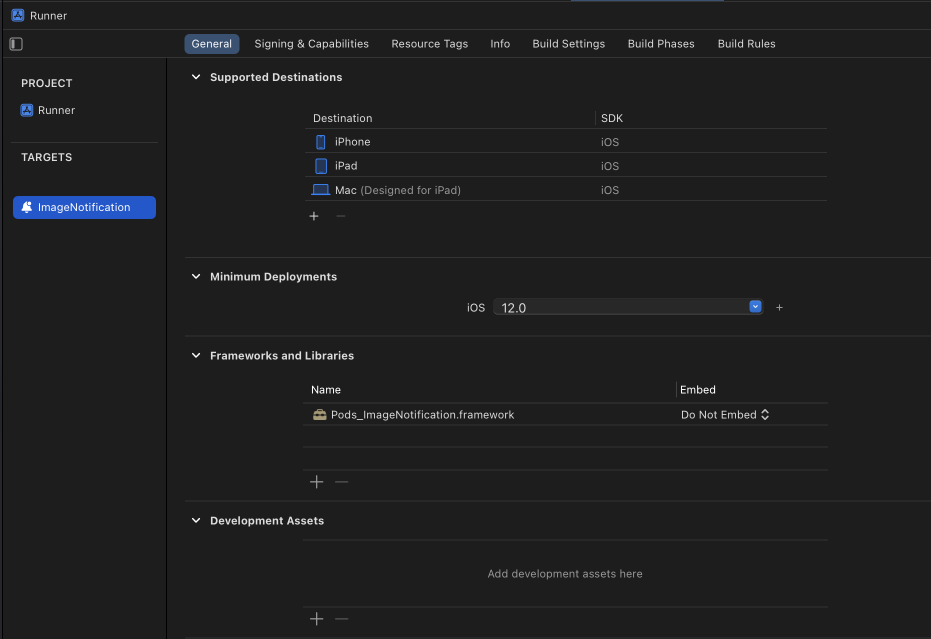
Based on that documentation, in this step, make sure you set the ImageNotification module not embedded in your existing project because that can fail when you want to create a release build. Don't forget to set Minimum Deployments to the same as your existing project to make it support lower OS versions.
GoogleUtilities Error when creating a release build
When you run your app in debug mode, you will not face that issue. But when you want to create a release build, you will get this error.
'/Users/User/Library/Developer/Xcode/DerivedData/Runner-bdnpxekydrzewgcrgsvvbfowmdtn/Build/Intermediates.noindex/Arch
iveIntermediates/prd/IntermediateBuildFilesPath/UninstalledProducts/iphoneos/GoogleUtilities.framework'


Encountered error while archiving for device.
How to resolve that?
We need to update our Podfile file to be like this
...

target 'Runner' do
  use_frameworks!
  use_modular_headers!
  pod 'GoogleUtilities'  #add this

  flutter_install_all_ios_pods File.dirname(File.realpath(__FILE__))
end

target 'ImageNotification' do
  use_frameworks!
  pod 'GoogleUtilities'  #add this
  pod 'Firebase/Messaging'
end
After that, you can create a new release build 🎉
Please write your comment if you still facing issues while working on Push Notification with Image in iOS.